Visual C4 editor for developers
Build C4 diagrams that survive review.
Build connected Context, Container, and Component models in private cloud workspaces, then move between visual architecture and reusable code.
Sign in with Google to create a private workspace, share it with the right people, and keep it editable.
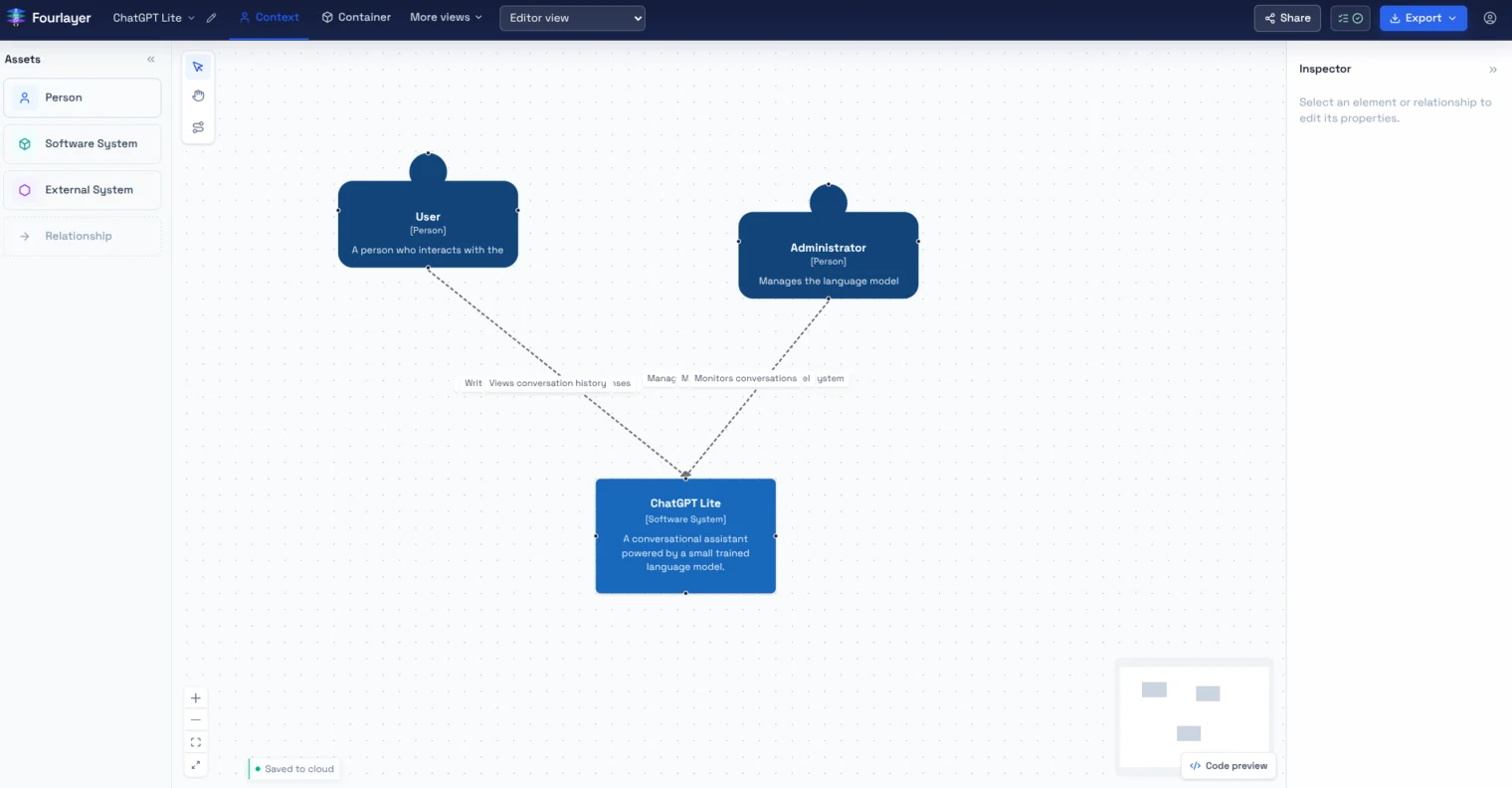
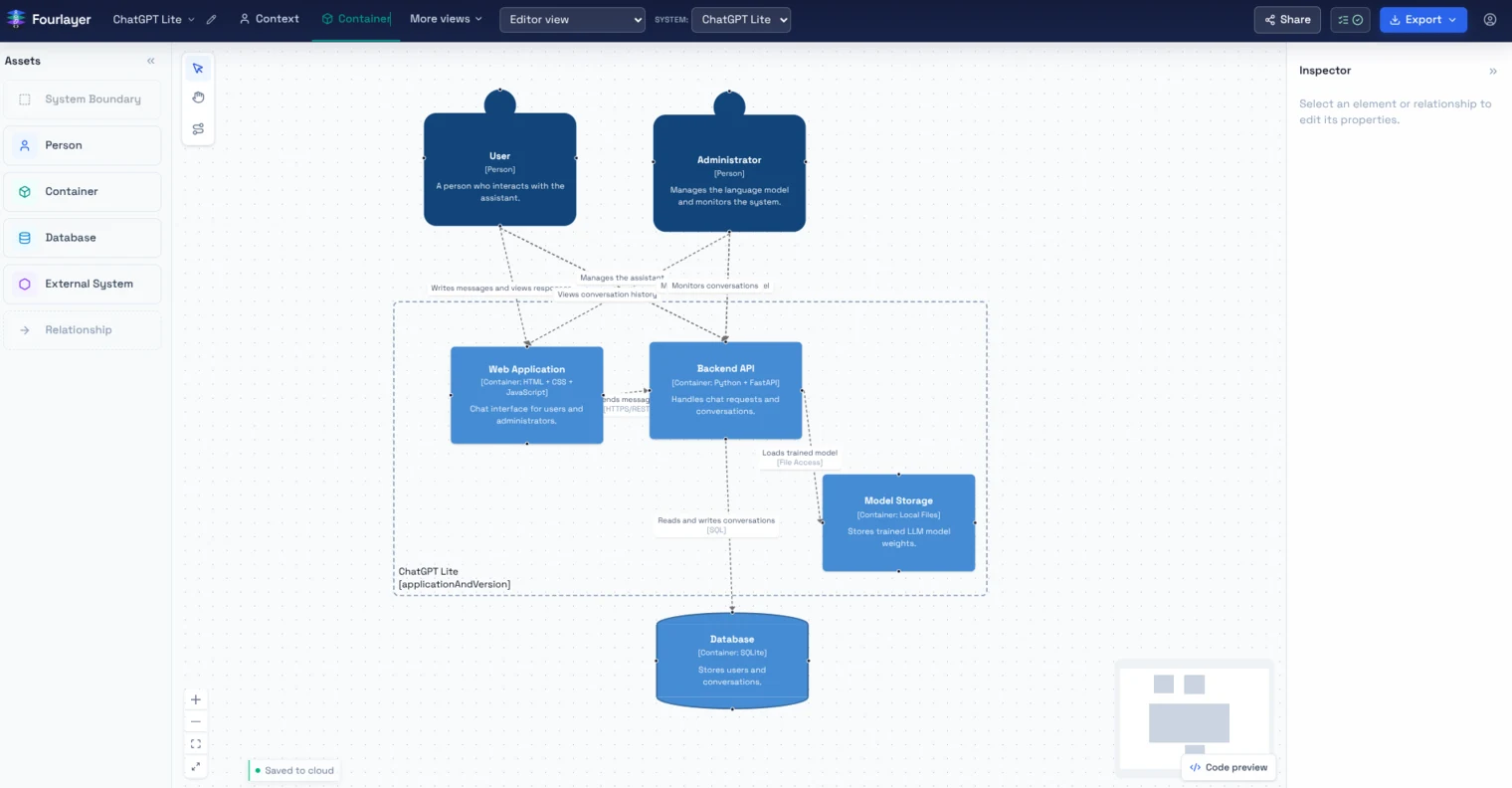
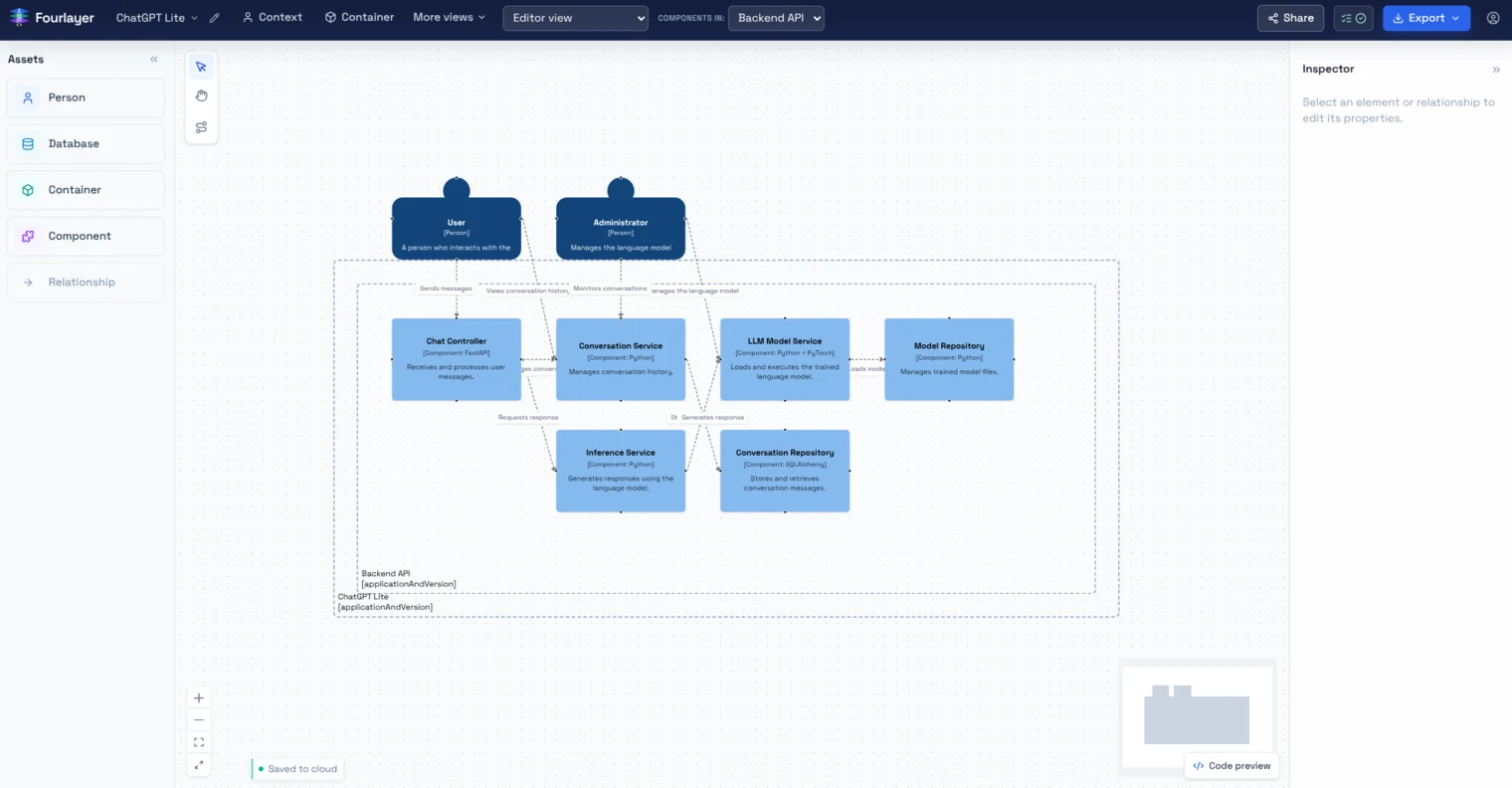
Model once. Use the view that answers the question, then take the output into the next conversation.
A C4 model, in motion
Build the model in layers.
Each step adds only the detail the next conversation needs.
- 01
Begin with the person.
The first node answers who needs the system and makes the architecture legible to someone outside the implementation.
- 02
Draw the relationship.
A connection carries the reason the system exists in this model, not only a line between two boxes.
- 03
Set the context.
External systems remain visible without being mistaken for software the team owns.
- 04
Open the owned system.
Applications, APIs, and data stores move into the same model when the conversation needs a Container view.
03Take the model with you
The diagram is not trapped in the canvas.
Copy Mermaid or Structurizr DSL for your repository, or paste supported C4 code back into Fourlayer as an editable model. Export PNG or SVG when the work needs to travel through a document, presentation, or review.
- Mermaid for docs, wikis, and pull requests.
- Structurizr DSL for a C4-aware codebase.
- Paste supported C4 code to start from an existing model.
- PNG and SVG when a real image is the right artifact.
- Component views when the conversation needs implementation detail.
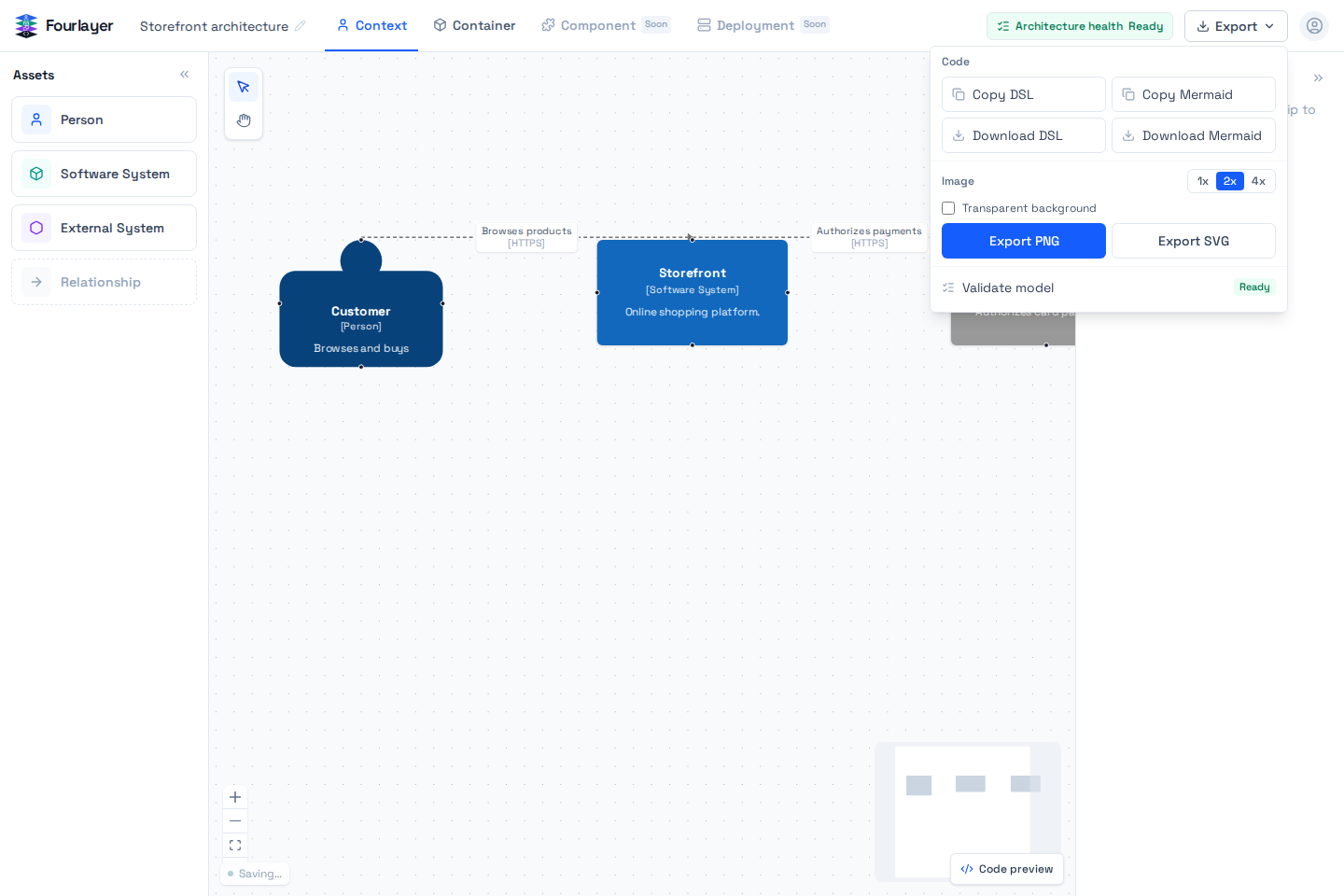
workspace "Storefront" { model { customer = person "Customer" storefront = softwareSystem "Storefront" customer -> storefront "Browses products" }}From code to a shared model
Keep architecture editable at every handoff.
Fourlayer connects C4 modelling, code-friendly output, and private collaboration in one workflow.
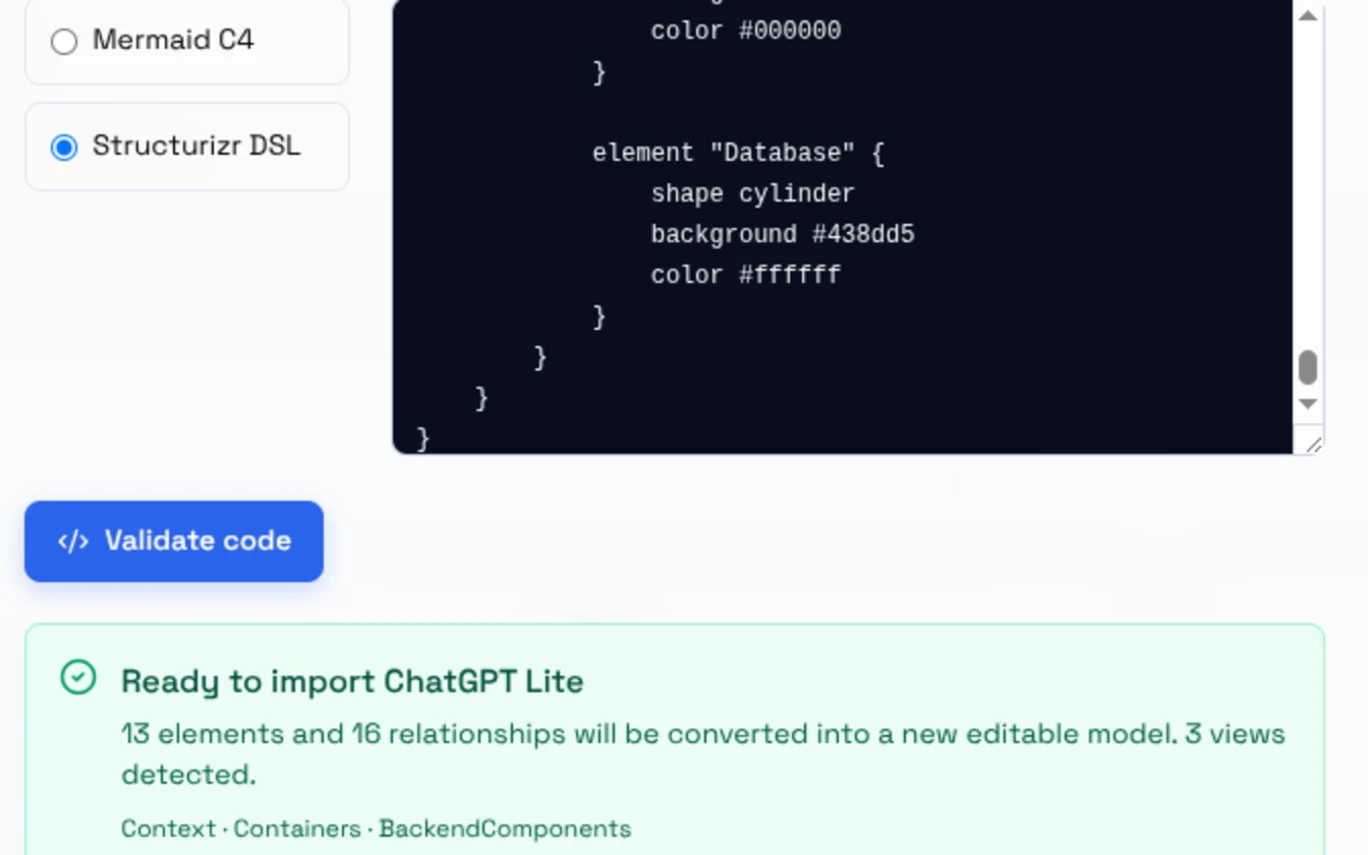
Paste Mermaid or Structurizr DSL.
Start with a C4Context, C4Container, or C4Component diagram, or a Structurizr workspace with named views. Fourlayer turns supported text into an editable model and flags syntax it cannot represent.
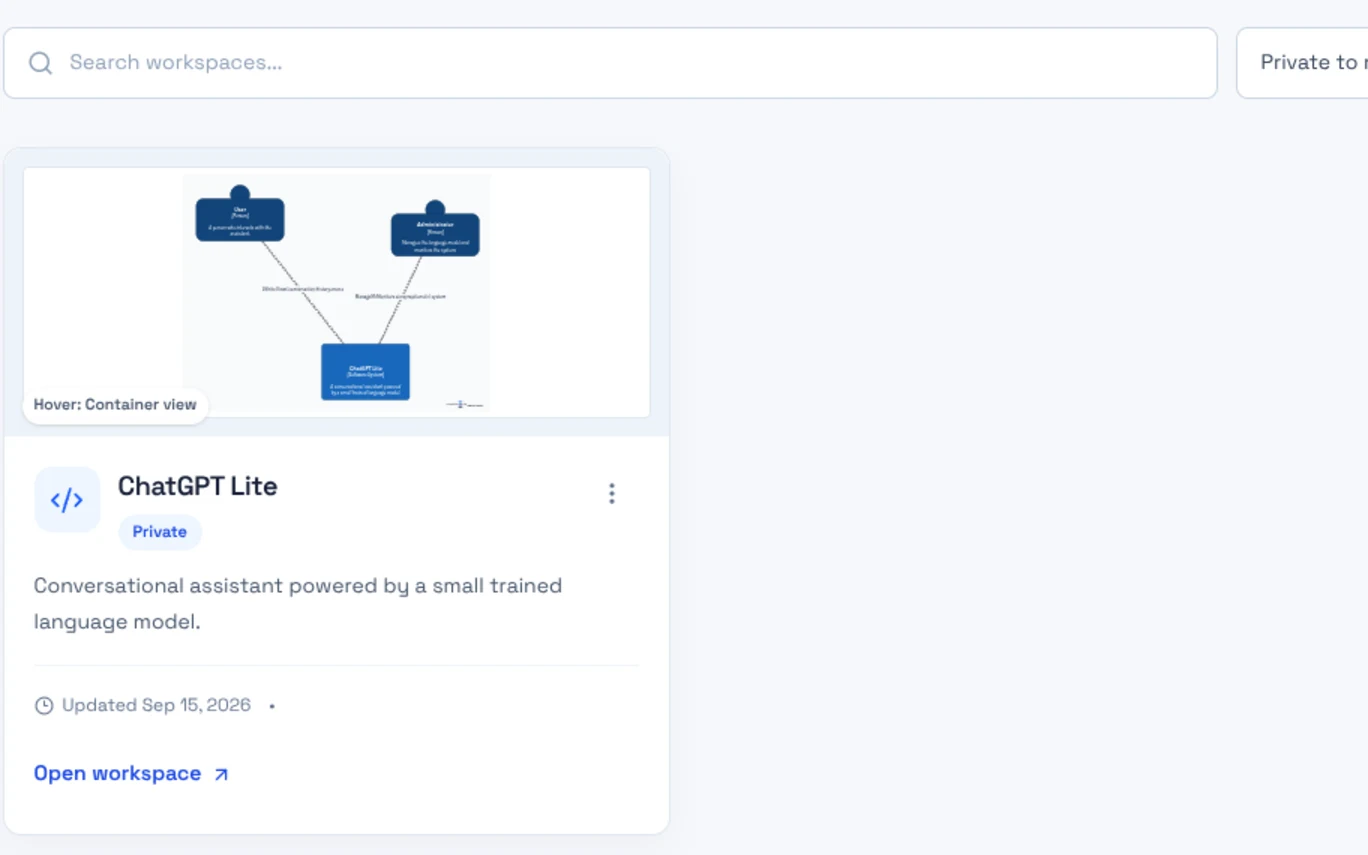
Save a private workspace.
Create named workspaces in the cloud, keep descriptions and icons with the project, and share access with owner, editor, or viewer roles.
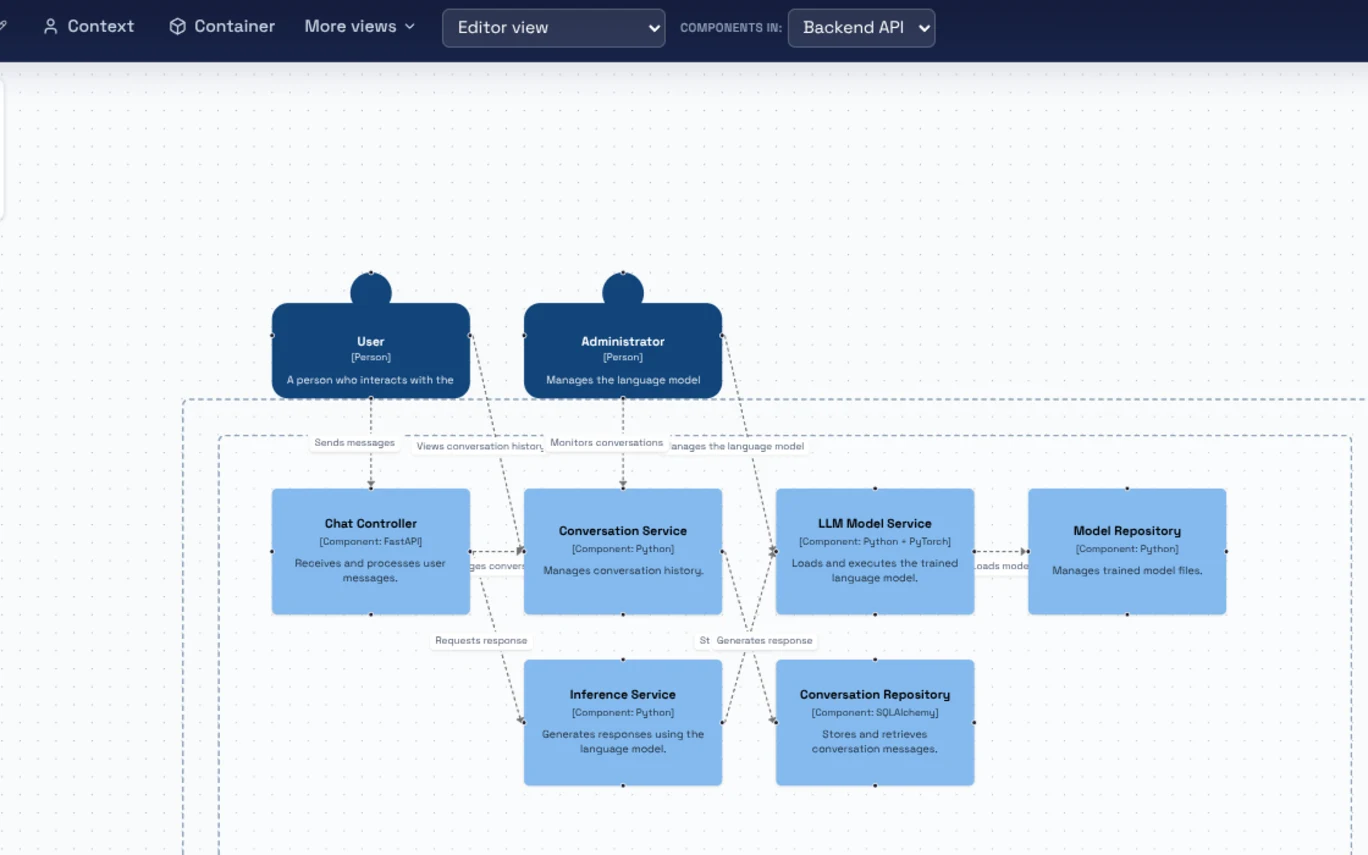
Review the right level.
Move between Context, Container, and Component views over one semantic model, then export Mermaid, Structurizr DSL, PNG, or SVG for the next review.
FAQ
Architecture, without the noise. A few answers about Fourlayer.
01What is the C4 model?
C4 describes architecture at four levels: Context, Container, Component, and Code. Fourlayer focuses on the first three as views over one connected model.
The C4 model is a way to describe software architecture at four levels of detail, created by Simon Brown. Each level answers a different question for a different audience. Context shows the system with the people and external systems around it. Container breaks that system into the applications, APIs, and data stores that actually run it. Component opens a single container into its internal parts. Code, the fourth level, is normally left to the IDE rather than drawn by hand. The point is that each level is a zoom of the same model, not a separate drawing, so a change made once stays true everywhere it appears. Most architecture diagrams fail review because they mix these levels on one canvas, so the reader cannot tell which question the picture is answering. Fourlayer keeps them as separate views over one model. The definitive reference is c4model.com.
02How do you turn a C4 diagram into code?
Export the active view as Mermaid or Structurizr DSL for docs and repositories. You can also paste supported C4 code back into Fourlayer and keep editing it.
Fourlayer generates text from the model you draw, and reads text back into it. Every view exports as Mermaid, for docs, wikis, and pull requests where a diagram should live beside the code it describes, or as Structurizr DSL, the format for treating architecture as a versioned file in the repository. The generated text reflects only the elements visible in the active view, so a Container export does not leak Component detail. The direction reverses too: paste supported C4 code into Fourlayer and it becomes an editable model rather than a static import. That matters because architecture diagrams usually die at the export step. The image ships, the source is lost, and the next change starts from scratch. When the text and the canvas are the same model, the diagram survives the next review.
03Which C4 views does Fourlayer support?
Context, Container, and Component views share one semantic model. Workspaces are private by default, with owner, editor, and viewer access.
Fourlayer supports three of the four C4 levels: Context, Container, and Component. All three are views over a single semantic model, so a system renamed in Context is renamed everywhere it appears. The available elements are people, software systems, external systems, containers, databases, components, and the relationships between them, plus an optional editable system boundary. Deployment views are not implemented yet; they are the next C4 level on the roadmap. Neither are billing, GitHub sync, public share links, realtime collaboration, or PDF export. Fourlayer is in free public beta, and those remain unbuilt rather than locked behind a plan. What does ship is export to Mermaid, Structurizr DSL, PNG at 1x, 2x, and 4x, and SVG, plus architecture health checks that link straight to the field that needs fixing. Workspaces are private by default and require a Google account, with owner, editor, and viewer roles for sharing.
04What can I export?
Export the active view as Mermaid, Structurizr DSL, PNG, or SVG. The model stays editable for the next change.
Every view exports as text or as an image. The text options are Mermaid, which drops into docs, wikis, and pull requests where GitHub and GitLab render it natively, and Structurizr DSL, which treats architecture as a versioned file beside the code. Both reflect only the elements visible in the active view, so a Container export never leaks Component detail. The image options are PNG at 1x, 2x, and 4x, with an optional transparent background, and SVG when the diagram has to stay sharp at any size or be edited in a vector tool. Image exports carry a minimal Fourlayer watermark during the public beta. None of it is one-way: supported Mermaid and Structurizr code pasted back into Fourlayer becomes an editable model again, so the diagram survives the next change instead of dying at the export step.
Recently shipped
What changed.
The beta moves. These are the last three changes readers of this page would notice.
Relationship labels stay legible.
Labels are now placed as a group rather than one at a time, so two connections crossing the same area no longer print on top of each other.
Structurizr imports keep their views.
Imported workspaces preserve their named views, external systems and data stores keep their notation, and building a workspace from pasted code reports progress while it runs.
Import fidelity, and a faster canvas.
Component scopes, C4 boundaries and hierarchy references survive an import intact. Editor views are cached, workspace previews load lazily, and relationship routing is deferred, so large diagrams stay responsive.
What we are building
Where Fourlayer goes next.
No dates. These are the pieces in progress, and the beta decides their order.
- In development
PlantUML support.
Import and export PlantUML beside Mermaid and Structurizr DSL, so one model can move between all three without being redrawn.
- Next
Deployment views.
The fourth C4 level, as a view over the same semantic model that already carries Context, Container, and Component.
- Under evaluation
Read-only share links.
Send a model to someone who has no account yet, without flattening it into an image first.
Fourlayer public beta
Bring a system you already need to explain.
Build a Context or Container view, export the result, and tell us where the work stopped feeling obvious. That is the feedback that decides what Fourlayer becomes next.